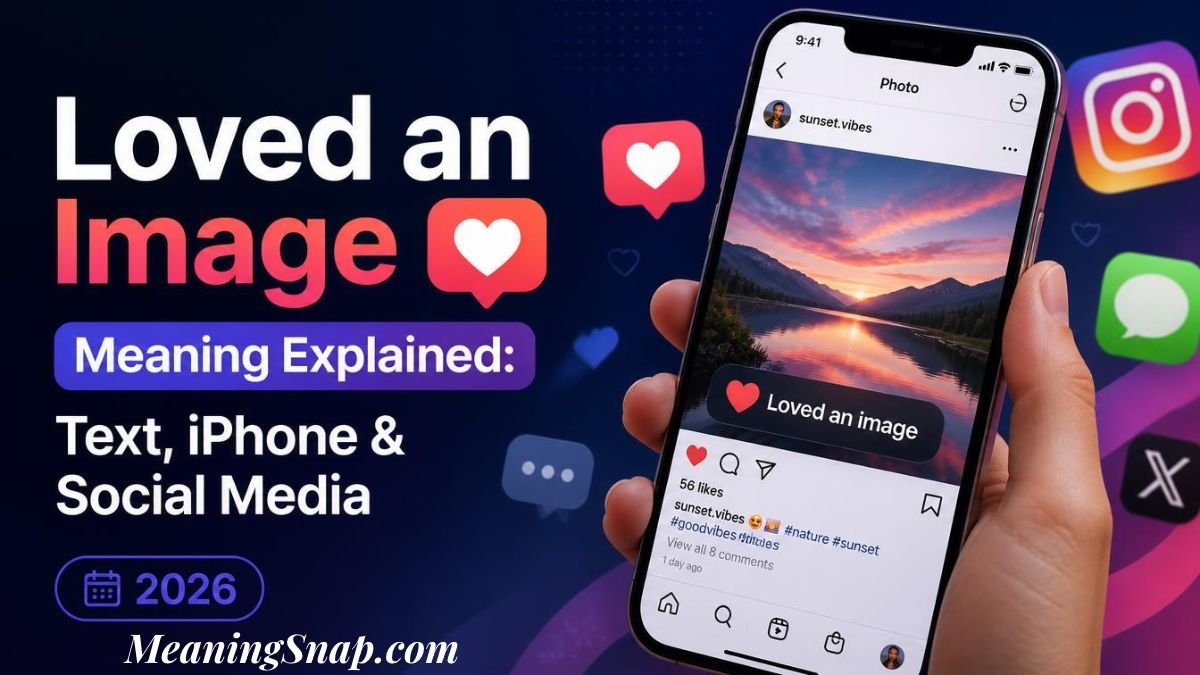
You post a photo of your lunch in the group chat. Ten seconds later, your phone buzzes with a text that reads, “Loved an image.” No picture. No heart. Just three words sitting there like a riddle.
The ” Loved an image meaning is simple. Someone on an iPhone pressed and held your photo, then tapped the heart reaction. Their phone sent that reaction to yours, and your phone showed it as plain text because it can’t draw the heart.
Nobody’s mad, and nobody’s confessing anything. People search this phrase after spotting it in a group chat, a work thread, or a text from Mom, usually on an Android phone. Here’s what the message says, why it looks so odd, and how to make it show up less often.
Loved an Image Meaning: What That Text Is Telling You
Think of it as a thumbs-up wearing a disguise. Apple calls these reactions Tapbacks, and they’ve been part of Messages since iOS 10 arrived in 2016. When your friend holds a message or photo and picks the heart, that’s a Tapback.
Between two iPhones, the heart floats over the corner of the photo. Between an iPhone and an Android phone, there’s no shared way to display it, so the iPhone sends a line of text instead. That line is the loved-an image meaning in action: “I hearted the photo you sent.”
Here’s what the text does tell you:
- Someone on an iPhone reacted instead of typing a reply.
- The reaction was the heart, Apple’s “love it” button.
- The target was a picture, not a message with words in it.
What it doesn’t tell you is which picture. The wording says “an image” and nothing more, so if you sent six photos, you’re left guessing. Check the timestamp on the text and look at the photo you sent just before it. That’s a decent first guess, though it won’t settle a twelve-photo dump.
Read Also: Winter Arc Meaning: The Viral Self-Improvement Trend Explained
Does Loved an Image Meaning Something Romantic?
Not by itself. The heart sits first in the Tapback menu, so people use it for everything. Moms heart baby photos. Coworkers’ heart screenshots of finished slides, and friends’ heart a dog picture before moving on.
That makes the loved an image meaning closer to “nice” or “love this” than “I love you.” Context does the real work, and these clues shift the signal:
- Who sent it. A sibling, a manager, and a crush all read differently.
- How often it happens. One heart on a selfie is a moment, while a heart on every photo you post is a pattern.
- What follows. A heart plus a typed reply shows more interest than a heart alone.
If you’re trying to read a crush, look at the whole conversation instead of one reaction. A Tapback takes one tap, so it’s low effort and low commitment. Words say more.
Why the Loved an Image Meaning Shows Up as Text, Not a Heart

Here’s the thing. iMessage and regular texting are two separate systems. iMessage runs between Apple devices and supports extras like Tapbacks. SMS and MMS, the old-school text and picture messaging an iPhone uses with most Android phones, have no slot for reactions.
So the iPhone improvises. It sends an ordinary text that spells out the reaction and quotes the message. A reaction to your words might read Loved “see you at 7.” A photo has no words to quote, so Apple swaps in “an image.”
That’s why the notification feels so empty. Your phone received a sentence, not a reaction, and it has no clue which photo the sentence points to. A Samsung community thread from December 2024 shows the frustration. The poster couldn’t tell which image got the heart, and one reply said iOS doesn’t send the information that identifies the picture. That’s a user’s explanation, not an official one, but it matches what the text itself shows.
Read Also: IKR Meaning in Text: What It Means and How to Reply
Loved an Image Meaning and the Other Tapback Texts
The heart isn’t the only reaction that turns into a text. This table shows the six classic Tapbacks, the text an Android phone shows for a photo when the chat runs on plain SMS, and what Google Messages shows when it converts them.
| Tapback | Text you may see for a photo | Google Messages emoji | Usual tone |
|---|---|---|---|
| Heart | Loved an image | Heart-eyes face | Warm, approving |
| Thumbs up | Liked an image | Thumbs up | Agreement, “got it” |
| Thumbs down | Disliked an image | Thumbs down | Disagreement, or a joke |
| Ha ha | Laughed at an image | Tears-of-joy face | Funny |
| Exclamation marks | Emphasized an image | Shocked face | Surprise, “look at this” |
| Question mark | Questioned an image | Thinking face | Confusion, “what is this?” |
The verb changes while the rest of the pattern stays put, so once you’ve decoded one, you’ve decoded them all. Phones and apps vary a little in wording.
One newer wrinkle. Since iOS 18, iPhone users can react with any emoji or a sticker, not just those six. Apple’s support page says everyone in the chat needs iOS 18, iPadOS 18, or macOS Sequoia or later to send and receive them. Older devices show only the standard icons.
Loved an Image Meaning on iPhone vs Android: What RCS Changed
For years, this whole mess came from one gap. iPhones didn’t support RCS, the modern upgrade to SMS that Google Messages uses on Android. That changed when iOS 18 launched in September 2024 and brought RCS to the iPhone.
With RCS on for both phones, emoji reactions from an Android phone now stick to the message on an iPhone instead of landing as a separate line. TechRadar spotted this working around iOS 18.1. On the iPhone, the switch lives under Settings, then Apps, then Messages, then RCS Messaging.
Android had its own fix first. Google Messages began translating iPhone reactions into emoji in 2022. The emoji sits in the bottom corner of the bubble, and the option is called “Show iPhone reactions as emoji” under Settings, then Advanced.
Did You Know: Google Messages turns Apple’s heart into a heart-eyes emoji. Your friend’s simple heart can look more excited on your screen than they meant it. Tap the emoji and a note says it was translated from iPhone.
So why does the loved ” image meaning still pop up as text? The usual culprits are a chat that fell back to SMS or MMS, an app that doesn’t convert reactions, or a reaction to a photo where the text can’t name the picture. Don’t judge the setup by bubble color either. Apple still draws RCS chats in green, so a green bubble doesn’t prove you’re stuck on plain SMS.
Loved an Image Meaning in Real Chats

Six short chats show how the loved an image meaning plays out in different moods.
Casual and confused
Maya: [sends two brunch photos]
Maya’s phone: Loved an image
Maya: Wait, the pancakes or the latte?
Jordan: Both, obviously
Maya’s confused because the text can’t say which photo got the heart. Jordan’s answer settles it.
Sincere
Priya: Mom sent “Loved an image” on the baby photo.
Her sister: That’s her saying she adores it. She doesn’t type much.
Mom’s heart is her version of a long speech. Nothing is hidden in it.
Sarcastic
Leo: [sends a photo of burnt toast]
Sam: Loved an image
Sam: Truly the finest charcoal I’ve ever seen
The heart was a joke, and the follow-up gives it away. Without the second text, Leo would have to guess.
Surprised, at work
Nina: Dana just hearted my whiteboard photo. Is that good?
Coworker: It’s a thumbs-up with a heart on it. Take the win.
Nina’s surprise comes from a manager using a casual reaction. The coworker’s right, since it signals approval and nothing more.
Frustrated
Carlos: [sends twelve vacation photos]
Carlos’s phone: Loved an image / Loved an image / Loved an image
Carlos: Okay, which three? I sent twelve.
Three identical texts with no photo names is the exact pain point people complain about.
Playful
Ava: [sends a photo of her cat sitting in a box]
Ben: Loved an image
Ava: Only the cat gets a heart? Not the box?
Ben: The box gets one too. It’s carrying the whole picture.
Ava is teasing, and Ben plays along with the bit. The reaction starts a joke instead of ending a conversation.
Loved an Image Meaning in Group Chats With Mixed Phones
Group threads add a twist. Every iPhone user in the chat sends their own text, so you might get several “Loved an image” messages from different people about the same photo. Each one arrives under the reacting person’s name, which at least tells you who liked it.
Google Messages helps here. When it converts an iPhone reaction, tapping the emoji opens a note with a larger view and the sender’s name, which is handy when five friends react at once. The loved an image meaning stays identical in a group, but the volume can bury the actual conversation. Work threads feel it most, since one shared screenshot can trigger a string of hearts and thumbs.
What to Say Back When You Get a Loved an Image Text
You don’t owe a reply. A heart is a finished thought. Still, a short answer keeps the chat warm, and it also solves the “which photo?” problem.
For a friend, try “Thanks! The second one’s my favorite.” For family, a heart or “Glad you like it” does the job. At work, “Appreciate it” keeps things friendly without making it weird. If you’re curious which photo got the reaction, just ask. Your friend should know right away, since the heart sits on the picture on their screen.
Read Also: MHM Meaning in Text: What It Means, Examples & When to Use It (2026)
How to Handle Loved an Image Meaning Texts on Android and iPhone
You can’t switch these texts off from the receiving end, because the sender’s phone creates them. You can cut down the clutter, though.
- On Android, use Google Messages and turn on “Show iPhone reactions as emoji” under Settings, then Advanced. One reply in that same Samsung thread suggested the switch too.
- Turn on RCS on both phones. On the iPhone, that’s Settings, Apps, Messages, RCS Messaging.
- Ask iPhone friends to reply with a word or an emoji when they like a photo, since typed replies never turn into mystery text.
- In mixed group chats, mention the quirk once. Most iPhone users have no idea what Android friends see.
If you’re the iPhone user, remember that your heart lands as text on any green-bubble SMS thread. A quick “Love this one!” reads warmer than a bare reaction.
Is the Loved an Image Meaning the Same on Instagram, WhatsApp and Messenger?

No. The wording belongs to Apple’s text fallback. Instagram, Messenger, and WhatsApp each let you react to a message with an emoji, and the reaction appears attached to the message inside the app. On Instagram, you can double-tap a message to send the default heart.
Stories work a little differently. An emoji reaction to an Instagram story shows up as a direct message in the other person’s inbox. Notification wording changes by app and update, so it’s worth checking your own phone.
If you saw “loved an image” in a notification, it came from a text message. A social app almost never uses those exact words.
Frequently Asked Questions
What does it mean when someone loves your image?
They reacted to your photo with the heart Tapback, which works as a quick “love this” or “nice one.” It isn’t romantic unless the rest of the conversation says so.
Why does my Android phone say “loved an image” instead of showing a heart?
The chat is running over SMS or MMS, which can’t carry iPhone reactions, so the iPhone sends a sentence instead. Google Messages can convert that sentence into an emoji.
Does the iPhone user know I got a text instead of a heart?
Usually not. On their screen, the heart typically sits on the photo like any other Tapback, so they may have no idea how it arrived.
Is a “loved an image” text spam?
No, it’s a normal reaction from someone you’ve been texting. If it comes from an unknown number or includes a link, treat it like any other suspicious message.
Can Android users react back with a heart?
Yes. Google Messages has its own emoji reactions, and with RCS on for both phones they now show up properly on iPhones running iOS 18.1 or later.
Next Time You See “Loved an Image”
Read it as a heart on your photo, nothing fancier. If you want to know which picture got the love, ask. If the texts bug you, switch on RCS and Google Messages’ emoji setting, and tell your iPhone friends what their hearts look like on your end.

Alex Morgan is a writer focused on explaining slang, words, phrases, acronyms, and popular expressions in a simple and easy-to-understand way. Through clear explanations and helpful examples, Alex helps readers quickly understand what words and phrases mean and how they’re commonly used.